
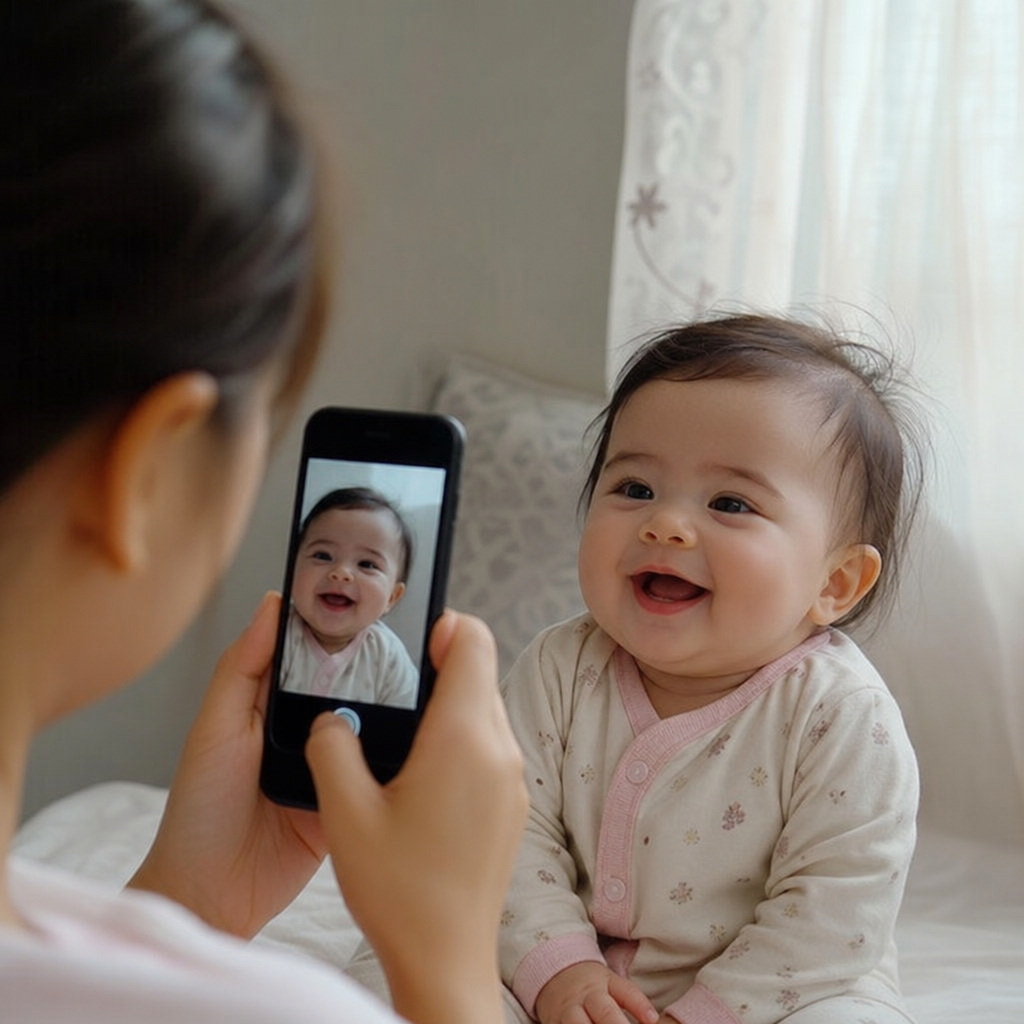
How to Take Sharp Baby Photos on a Phone: Focus, Motion, and Burst Mode
Taking sharp baby photos on a phone is mostly about controlling three things: focus, motion, and timing. Babies wiggle, kick, blink, turn away, and suddenly become adorable right after you lower the camera, so your phone settings and shooting habits need to work with that unpredictability. The good news is that a few simple changes can dramatically reduce blur and help you capture clearer, sweeter moments at home.
Why do baby photos come out blurry on a phone?
Baby photos usually come out blurry because either the camera focused on the wrong spot, the baby moved faster than the phone could capture, or the lighting was too dim. Phones are smart, but they still need enough light and a clear subject to lock onto. If your baby is waving their hands, bouncing, crawling, or turning their head in a low-light room, even a tiny delay can soften the photo.
A useful baby photo blur fix starts before you tap the shutter. Move closer to a window, clean your phone lens, tap on your baby’s face to set focus, and hold the phone steady with both hands. If your phone keeps choosing the blanket, toy, or crib rail instead of your baby’s eyes, slow down and reset the shot.
Start with light before changing settings
Light is the quiet hero of phone baby photography. In bright, soft light, your phone can use a faster shutter speed, which helps freeze tiny movements. In dim light, the camera often keeps the shutter open longer, and that is when a kick, smile, or head turn becomes a blur.
Natural window light is usually the easiest option. Place your baby near a window, but not in harsh direct sun. Soft side light can bring out round cheeks, eyelashes, and tiny details without creating strong shadows. For more help with home lighting, see this guide to mastering natural window light for baby photos at home.
Try this simple setup:
- Place your baby on a safe, stable surface near a large window.
- Turn off overhead lights if they create strange color casts.
- Face your baby slightly toward the light, not directly into bright sun.
- Keep the background simple so your phone does not get distracted.
- Avoid zooming if possible; step closer instead.
Lock focus on the eyes
For sharp baby photos, the eyes matter most. A photo can still feel successful if the blanket or toes are a little soft, but if the eyes are blurry, the whole image often feels off. Before taking the picture, tap directly on the eye or face area on your phone screen.
On many phones, pressing and holding can lock focus and exposure. This is helpful when your baby is lying in one spot, sitting in a high chair, or playing on a mat. Once focus is locked, you can take several frames without the camera constantly jumping to a hand, toy, or background object.
If your baby is moving toward or away from you, focus lock may not be enough. In that case, keep tapping the face between shots or use your phone’s portrait or motion-friendly features carefully. Portrait mode can look beautiful, but it may struggle with fast movement, wispy hair, and little fingers near the face.
How can burst mode help with baby photos?
Burst mode helps because it captures a rapid series of images, giving you more chances to catch the one split second when your baby is still, expressive, and in focus. Instead of trying to predict the perfect smile or hand movement, you shoot through the moment and choose the sharpest frame afterward. This is one of the easiest ways to improve burst mode baby photos without buying extra gear.
Use burst mode when your baby is laughing, kicking, crawling, clapping, rolling over, or playing peekaboo. These moments are full of expression, but they rarely pause for a single perfect shot. A burst gives you several options, and often the best photo is not the first one.
A practical burst mode routine looks like this:
- Move into good light first.
- Tap your baby’s face to focus.
- Hold the phone with both hands.
- Start shooting just before the cute moment peaks.
- Keep shooting for one or two seconds after the expression changes.
- Review the burst and save only the sharpest, most expressive frames.
Do not keep every image. Pick the photo where the eyes are sharp, the expression feels natural, and the hands or feet add life instead of distraction. If you are hoping to enter standout images in a contest, these selection tips pair well with ideas for winning baby contest photos.
Use faster moments wisely
Some baby moments are naturally easier to photograph than others. A sleepy stretch, tummy-time pause, or quiet gaze near a window gives your phone more time to focus. Crawling, bouncing, and waving require better light, quicker shooting, and more patience.
To reduce motion blur, work with your baby’s rhythm. If they are kicking repeatedly, wait for the tiny pause between kicks. If they are crawling, photograph them as they stop to look up. If they are laughing with a parent, shoot in short bursts when the smile rises, not only after it is fully gone.
You can also stabilize yourself. Lean your elbows against your body, rest your wrists on a chair or bed, or kneel instead of hovering. The less your hands move, the better your phone can capture your baby’s movement clearly.
Small phone habits that make a big difference
Sharpness is not only about camera settings. Everyday phone habits can make or break the shot, especially when the moment happens quickly.
Before you photograph your baby, check these basics:
- Clean the lens. Fingerprints create haze and make photos look soft.
- Avoid digital zoom. Zooming often lowers detail; move closer when it is safe.
- Watch the background. Busy patterns can confuse focus and pull attention away.
- Use the rear camera. It usually captures more detail than the selfie camera.
- Give your phone light. More light usually means less blur.
- Take more than one frame. Babies change expression too quickly for one-and-done shooting.
If you are wondering how a phone compares with a dedicated camera, this overview of smartphone vs DSLR baby photography can help you understand what your phone does well and where its limits appear.
Keep the photo natural, not perfect
Sharpness matters, but it is not the only thing that makes a baby photo worth keeping. A technically perfect photo with a stiff expression may feel less meaningful than a slightly imperfect image full of personality. The goal is to make the important parts clear while preserving the warmth of the moment.
Let babies be babies. Photograph the curious stare, the wrinkled nose, the half-smile, the serious thinking face, and the little hands reaching for a toy. If you want more natural expressions, explore the difference between candid and posed baby photos and use both styles depending on your baby’s mood.
A helpful mindset is to guide, not force. Choose the light, simplify the background, and get ready with focus and burst mode. Then let the moment unfold.
A simple sharp baby photo checklist
When you want a quick reminder of how to take sharp baby photos on a phone, use this sequence:
- Move near soft window light.
- Clean the camera lens.
- Use the rear camera when possible.
- Tap your baby’s eye or face to focus.
- Hold the phone steady with both hands.
- Use burst mode for movement and expressions.
- Review the burst and keep only the strongest frames.
- Delete blurry duplicates so your camera roll stays manageable.
This process is simple enough to use every day, but it solves the most common causes of blur. It also helps you stay ready for the moments that happen without warning.
The clearest photos come from preparation and patience
Sharp baby photos are not about having a perfect baby, a perfect room, or a professional setup. They come from giving your phone enough light, focusing carefully, reducing motion, and using burst mode when your baby is active. Once those habits become automatic, you can spend less time fighting blur and more time catching the tiny expressions that change so quickly.
Start with one improvement today: move closer to a window, tap to focus on the eyes, or try a short burst during playtime. Small changes add up fast, and your favorite baby photos will start looking clearer, warmer, and more alive.


